
Four years ago, the Apple Watch was mostly a notification machine that happened to count your steps. In 2026, it is something else entirely. It is a fitness coach, a sleep lab, and a heart-health monitor on your wrist. Apple refreshed its two flagship models in September 2026. The lineup now covers every kind of athlete, from first-time walkers to ultrarunners.
Choosing between the models is harder than it looks. Three watches share the same app store, Activity rings, and workout library. Yet they differ in sensors, battery life, and price by hundreds of dollars. This guide cuts through the confusion. It compares the 2026 lineup on Apple Watch fitness — the sensors, battery, and features that matter for training.
Which Apple Watches Can You Buy in 2026?
Apple’s current lineup has three new models, plus two from last year that are still on sale. All five run watchOS 27, and all five come with 64GB of storage and 5G on cellular models.
| Model | Price from | Chip | Battery (normal) | Display | Water resistance |
|---|---|---|---|---|---|
| Apple Watch SE 3 | $249 | S10 | 18 hours | 1,000 nits | 50 m |
| Apple Watch Series 12 | $399 | S11 | 24 hours | 2,000 nits | 50 m |
| Apple Watch Ultra 4 | $799 | S11 | 50 hours | 3,000 nits | 100 m |
| Apple Watch Series 11 | $399 at launch (2025) | S10 | 24 hours | 2,000 nits | 50 m |
| Apple Watch Ultra 3 | $799 at launch (2025) | S10 | 42 hours | 3,000 nits | 100 m |
For most buyers, the Series 12 is the default choice. It costs the same $399 as last year’s Series 11. Yet it carries the new S11 chip and Apple’s new Health Sensing System. The Ultra 4 is the pick for anyone who needs two days of battery, satellite messaging, or diving features. The SE 3 is the budget route into the Apple Watch world.
Size matters too. Series 12 comes in 42mm and 46mm cases, in aluminium, titanium, or ceramic. SE 3 is smaller, at 40mm and 44mm, in aluminium only. Ultra 4 is a single 49mm titanium case. It is noticeably bigger and heavier on the wrist than the other two.
How Does Apple Watch Track Fitness?
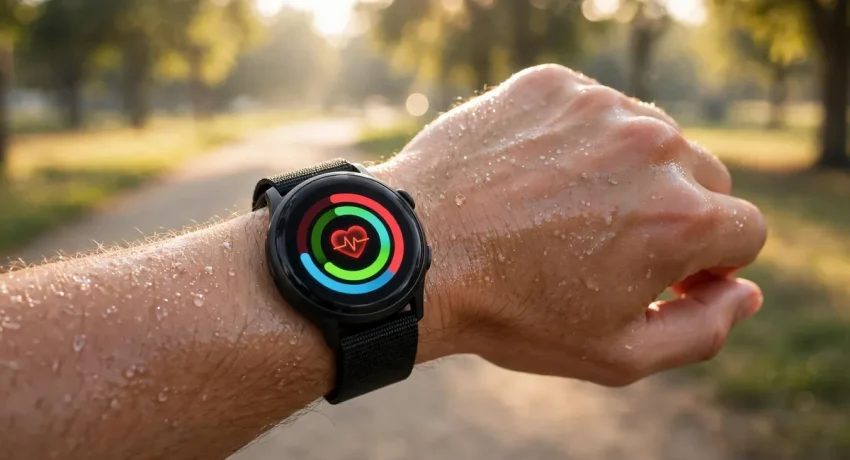
Every Apple Watch, from the cheapest SE 3 to the Ultra 4, handles Apple Watch fitness tracking the same basic way. Three Activity rings sit at the centre of it all. The Move ring counts your active calories. The Exercise ring tracks the minutes you spend moving briskly, whether you are walking, running, or doing yoga. The Stand ring records how many hours in a day you stood up and moved for at least a minute.
Behind the rings, a set of sensors does the heavy lifting. An accelerometer senses when you are moving and when you are sitting still. A gyroscope tracks the rotation of your wrist. An optical heart rate sensor judges how hard you are working and feeds that into the calorie calculation. GPS on the watch maps your route, pace, and distance without your phone.
Apple Watch tracks dozens of workout types, from running and cycling to swimming, rowing, and dance. During a workout, you can see live metrics like heart rate, pace, distance, and calories on the screen. Afterward, the Fitness app on your iPhone shows the full breakdown. It includes heart rate zones and, on newer models, training load.
Apple Watch training load is one of the more useful additions for regular exercisers. It compares your last seven days of training with the past 28 days. A rising load means you are building fitness. A sudden spike can warn you that you are overdoing it. Serious runners once needed a dedicated sports watch for this insight. Now it is built into every current Apple Watch.
What Is New in the Series 12 and Ultra 4?
Apple announced the Series 12 and Ultra 4 in September 2026, and the headline change is not the design. It is the sensing. Both watches carry a new Health Sensing System built around the S11 chip. It measures your body far more often than before.
Heart rate is the biggest upgrade. Series 12 reads your heart rate every five seconds throughout the day. On the Series 11, the watch checked your heart rate only once every five minutes at rest. Heart rate variability, or HRV, is now measured as often as every five minutes. On the older model, it was roughly every two hours. More frequent readings mean better recovery data, sharper training load numbers, and a clearer picture of your stress.
The ECG app has changed too. Series 12 uses 32 electrodes for better skin contact, up from just two on the Series 11. Apple says the improved optical sensing and more efficient LEDs also deliver more accurate heart rate readings during workouts. Sweat and movement usually make wrist sensors less reliable, so this matters.
Battery life has improved in small but practical ways. Series 12 lasts up to 24 hours of normal use, or 38 hours in Low Power Mode. It can also run a 10-hour outdoor workout on one charge. A 15-minute charge gives you about 12 hours of use. That is enough to top up before a morning run. Ultra 4 stretches to 50 hours of normal use and 84 hours in Low Power Mode. In Max Extended workout mode, it manages 45 hours.
Series 12 also gets Ceramic Shield 2 on its aluminium cases. Apple says it is tougher against scratches and cracks. It is a small change, but a watch that gets knocked against gym equipment and door frames benefits from it.
What Is the Readiness Score?
Readiness is the new headline feature on the S11 watches. Each morning, it answers a simple question: how prepared is your body for the day? The Readiness app scores each day from 0 to 10. It uses the five-second heart rate readings that only the S11 watches take.
Your score pulls together your recent sleep, activity, heart rate, and HRV data. A high score suggests you are well recovered and ready to push hard in training. A low score suggests you should take it easier, get more sleep, or rest. Rival wearables made recovery scores popular. Apple has now built its own version directly into the watch.
One catch is worth knowing. Readiness is available only on the Series 12 and Ultra 4. Only the S11 chip takes the frequent heart rate readings it needs. Series 11, Ultra 3, and SE 3 do not get it, even though they run the same watchOS 27 software.
Which Health Features Actually Matter for Fitness?
Apple Watch has grown a long list of health features, and not all of them matter equally for training. Here is what each one does, in plain language.
Hypertension notifications are the most important new health feature of the last two years. Series 11 introduced them in 2025, and Series 12 and Ultra 4 keep them. The optical sensor feeds data to an algorithm. It watches how your blood vessels respond to each heartbeat over 30-day periods. When it spots a pattern that suggests chronic high blood pressure, it notifies you. Apple developed the feature with machine learning and studies totalling over 100,000 participants, then validated it in a clinical study. The company expects the system to notify over a million people with undiagnosed hypertension within its first year. High blood pressure affects over 1.3 billion adults worldwide, according to Apple. It is a leading cause of heart attack, stroke, and kidney disease. The feature is not for people under 22, people already diagnosed with hypertension, or pregnant people.
Apple Watch Sleep Score turns your night into a number you can act on. Each morning, the watch grades your sleep from 0 to 100, from Very Low to Excellent. Duration counts for half the points, bedtime consistency for 30 percent, and interruptions for 20 percent. A late night clearly drops the score, while a regular bedtime pushes it up. Sleep Score arrived on the Series 11 and is available on the Series 12, Ultra 4, and SE 3 as well.
Apple Watch sleep apnea notifications watch for signs of moderate to severe sleep apnea, a condition where breathing repeatedly stops during sleep. It is available on Apple Watch Series 9 and later, Ultra 2 and later, and the SE 3. The feature is meant for people aged 18 or older who have not already been diagnosed.
The Apple Watch ECG app takes a single-lead electrocardiogram any time you want one. It is available on Series 4 and later, except for SE models, for people aged 22 or older. Blood oxygen readings, high and low heart rate notifications, irregular rhythm notifications, and low cardio fitness notifications round out the heart toolkit. The Vitals app gathers your overnight metrics: heart rate, respiratory rate, wrist temperature, blood oxygen, and sleep duration. It helps you spot when something is off.
For fitness, the practical point is simple. A watch that tracks your sleep, recovery, and heart is more useful than one that only counts steps. The health features feed the training features, and together they tell you when to push and when to rest.
What Is Workout Buddy and Does It Help?
Apple Watch Workout Buddy is Apple’s AI workout coach, and it arrived with watchOS 26 on the Series 11. Your nearby iPhone powers it through Apple Intelligence, giving you spoken encouragement and insights during a workout. It might tell you that your pace is faster than your last run. You might also hear that you are close to closing your Exercise ring, or that your heart rate is in the zone you aimed for.
Early reviews describe it as genuinely motivating rather than gimmicky, though it is still early days for the feature. It works across common workout types like running, walking, cycling, and strength training. You need an iPhone nearby for the Apple Intelligence processing. A Bluetooth headset helps you hear the coaching without looking at your wrist mid-workout.
Workout Buddy is available on all watches that run watchOS 27, which includes the whole 2026 lineup. It is one of those features that sounds minor on a spec sheet. In daily use, it turns out to matter, especially for people who train alone and miss having a coach in their ear.
How Long Does the Battery Last on a Workout?
Apple Watch battery life is where the models split most clearly, and it matters more than most buyers expect. A watch that dies before your long run ends is useless as a fitness tracker.
SE 3 is rated at 18 hours of normal use, or 32 hours in Low Power Mode. That covers a full day, but only just, and you will need to charge it every night. Series 12 and Series 11 last up to 24 hours, or 38 hours in Low Power Mode. That is enough for a full day plus overnight sleep tracking. Ultra 3 lasts up to 42 hours, or 72 in Low Power Mode. The Ultra 4 goes further still, at 50 hours of normal use and 84 hours in Low Power Mode.
For workouts specifically, Series 12 can handle a 10-hour outdoor workout on one charge. Ultra 4 manages 45 hours in Max Extended workout mode. That mode suits multi-day hikes and ultramarathons. The watch turns down the GPS sampling rate to save power.
Fast charging helps on every model. Series 12 and Series 11 charge to 80 percent in about 30 minutes. SE 3 takes about 45 minutes to reach 80 percent, and so do the Ultra models. A quick charge while you shower in the morning is enough to cover a day of training.
Which Apple Watch Is Best for Runners?
Runners have the clearest choice in the lineup, and it depends on how far you run. For most runners, the Series 12 is the best pick. It has the new health sensors, the Readiness score, and 24-hour battery. Its bright 2,000-nit display stays readable in sunlight. GPS accuracy is good enough for road running. The training load and heart rate zone features cover what most training plans need.
Ultrarunners and trail runners should look at the Ultra 4 instead. Its dual-frequency GPS is more accurate in tricky terrain, like forests and city streets with tall buildings. A single-frequency signal can bounce and drift there. The 50-hour battery covers multi-day events. The 100-metre water resistance means river crossings and rain are not a worry. Satellite messaging adds safety when you are far from mobile coverage, which matters on remote trails.
SE 3 works fine for casual runners who run a few times a week and mostly on roads. It tracks pace, distance, and heart rate, and it handles the Activity rings and workout types. What it lacks is the newer health sensing and the Readiness score. Its dimmer display can also be hard to read in direct sun.
Which Apple Watch Is Best for Swimmers and Divers?
Swimming is where the Ultra models pull ahead. Ultra 4 is rated to 100 metres of water resistance. It is also certified to the EN13319 standard for scuba diving to 40 metres. A depth gauge and water temperature sensor come built in, and it tracks open-water swims with dual-frequency GPS.
Series 12 and SE 3 are rated to 50 metres, which covers pool swimming and shallow-water activities. Apple lists Series 10 and later for snorkelling to 6 metres. That is enough for most swimmers, but it is not a diving watch, and Apple is clear about the limits.
Pool swimmers get lap counts, stroke detection, and pace on every model. Open-water swimmers will notice the difference in GPS accuracy on the Ultra 4. Small errors add up on long swims.
Which Apple Watch Should You Buy on a Budget?
SE 3 is the honest budget pick, and it is better than its price suggests. From $249, you get an always-on display, the S10 chip, and temperature sensing. You also get sleep apnea notifications, fast charging, and the full fitness tracking suite, including Activity rings, training load, and Workout Buddy.
What you give up is real, though. SE 3 has no electrical heart sensor, so there is no ECG. It has no blood oxygen sensor and no wrist temperature sensor for cycle tracking. Missing too are the hypertension notifications, the Readiness score, and the high-frequency heart rate and HRV tracking that make the Series 12 special. Its display is dimmer at 1,000 nits, and its battery is shorter at 18 hours.
For a first watch, or a watch for a child using Family Setup, those trade-offs are reasonable. Anyone buying mainly for health tracking gets a lot of sensing for the extra $150. SE 3 has been seen as low as $199 during major sales. That makes it even better value if you can wait for a deal.
Should You Buy the Series 11 or Ultra 3 Instead?
Series 11 and Ultra 3 are still on sale, and they make sense in one situation: a big discount. Both cost the same at launch as their successors: $399 for the Series 11 and $799 for the Ultra 3. At full price, there is no reason to pick them over the Series 12 and Ultra 4. The new models have the newer chip, the new sensors, and the Readiness score. With a discount, the maths changes.
Series 11 has the same 24-hour battery and 2,000-nit display as the Series 12. Hypertension notifications, Sleep Score, ECG, and blood oxygen are all still there. It misses only the S11 sensors, the Readiness score, and the more frequent heart rate and HRV readings. If you find it $100 or more below the Series 12, it is a strong buy.
Ultra 3 is the same story at the top end. It has satellite messaging, dual-frequency GPS, 100-metre water resistance, and a 42-hour battery. What it misses is the Ultra 4’s longer battery, the new Health Sensing System, and the Readiness score. A large discount makes it the better value for most outdoor athletes.
What Do You Need to Use an Apple Watch?
Apple Watch only works with an iPhone, and that is the first thing to check. Series 11 requires an iPhone 11 or later running iOS 26 or later. The same requirement applies across the 2026 lineup. If you use an Android phone, Apple Watch is not an option at all. Look at a Samsung Galaxy Watch or a Garmin instead.
Every new Apple Watch comes with three months of Apple Fitness+ free. Fitness+ offers guided workouts, from HIIT and strength to yoga and meditation, with your watch metrics shown on screen. It is a good way to try structured training without a gym membership. Three months is enough to decide whether it is worth paying for.
Setting up is quick. Pair the watch with your iPhone, set your Move, Exercise, and Stand goals, and pick your watch face. Apple suggests starting with realistic goals and raising them as you build the habit. It is better advice than it sounds. Most people set their Move goal too high on day one and give up by day three.
How Does Apple Watch Compare With Garmin and Samsung?
No fitness watch exists in a vacuum, and two rivals deserve a mention. Garmin’s running watches are the classic alternative for serious athletes. They are famous for battery life measured in days rather than hours. Their training metrics are also deeper than Apple’s. A Garmin is the better pick if you run ultramarathons or train for triathlons. It also suits anyone who hates charging a watch every night. What Garmin gives up is the smartwatch side: its apps, notifications, and ecosystem are not as smooth as Apple’s.
Samsung’s Galaxy Watch is the Android equivalent of the Apple Watch. It tracks fitness and health well, and it works with Samsung’s phones and services. If you already use an Android phone, it is the natural choice. Apple Watch and Galaxy Watch do not cross over, so your phone decides this one for you.
For most iPhone users, Apple Watch wins because it does everything well enough in one device. It is a capable fitness tracker, a strong health monitor, and a full smartwatch at the same time. Garmin wins on battery and specialist training depth. Samsung wins if you are on Android.
How Do You Get the Most Out of Your Apple Watch?
A watch only helps if you wear it, and a few habits make a real difference. Wear it every night for at least a week. That gives the sleep tracking and Vitals data something to work with. Sleep Score and Readiness are only useful once the watch knows your baseline, and that takes several nights.
Customise the rings to your life, not to someone else’s. If you sit at a desk all day, set a lower Move goal that you actually hit. An ambitious goal that you ignore helps nobody. Raise the goal once closing the rings becomes routine.
Use the workout app properly. Start the workout before you begin, and end it when you finish, rather than relying on automatic detection. The automatic detection is decent, but it misses the first few minutes. Those minutes count toward your training load.
Pair the watch with good earbuds for workouts. Music, podcasts, and Workout Buddy’s coaching all sound better through earbuds than through the watch speaker. On cellular models, you can also leave your phone at home. The Sony WF-1000XM6 earbuds are a strong match for the Apple Watch. Their noise cancelling helps on busy streets, and their secure fit stays put during runs.
Finally, give the health features time. Hypertension notifications work over 30-day periods, and sleep trends need weeks to show up. Apple Watch rewards patience, and the insights get better the longer you wear it.
Frequently Asked Questions
Which Apple Watch is best for fitness in 2026?
Series 12 is the best Apple Watch 2026 offers for fitness for most people. It has the new Health Sensing System, the Readiness score, 24-hour battery, and a $399 starting price. Ultra 4 is better for endurance athletes and outdoor adventurers, thanks to its 50-hour battery, dual-frequency GPS, and satellite messaging.
Is the Apple Watch SE 3 good enough for workouts?
Yes, for most workouts. SE 3 tracks heart rate, pace, distance, and calories, and it handles Activity rings, training load, and Workout Buddy. It lacks ECG, blood oxygen, hypertension notifications, and the Readiness score. Serious health tracking is better on the Series 12.
How accurate is Apple Watch heart rate tracking?
Apple Watch heart rate tracking is accurate for steady exercise like running and cycling. Series 12 improves it further with more frequent readings and better optical sensing. Wrist sensors are less reliable during very intense intervals or when the watch is loose. Wear it snugly above the wrist bone for best results.
Can Apple Watch detect high blood pressure?
Apple Watch cannot measure your blood pressure directly, and it is not a blood pressure cuff. Series 11, Series 12, Ultra 3, and Ultra 4 can notify you if they spot patterns that suggest chronic high blood pressure. They watch for these patterns over 30-day periods. If you get a notification, Apple suggests logging readings with a cuff and talking to your doctor.
How long does an Apple Watch battery last?
It depends on the model. SE 3 lasts up to 18 hours. Series 12 and Series 11 last up to 24 hours. Ultra 3 lasts up to 42 hours, and Ultra 4 up to 50 hours of normal use. Low Power Mode extends all of them, with Ultra 4 reaching 84 hours.
Do you need an iPhone to use an Apple Watch?
Yes. Apple Watch requires an iPhone 11 or later running iOS 26 or later. It does not work with Android phones. Family Setup lets a family member use a cellular Apple Watch without their own iPhone. It is popular for children and older relatives.
Apple Watch started as a fitness accessory and has grown into a genuine health device. In 2026, the choice is simple. Buy the Series 12 if you want the best fitness and health tracking for the money. Pick the Ultra 4 if your training takes you far from a charger. Go for the SE 3 if you want the essentials at the lowest price. Whichever you pick, wear it every day, close the rings, and let the data do its work.